
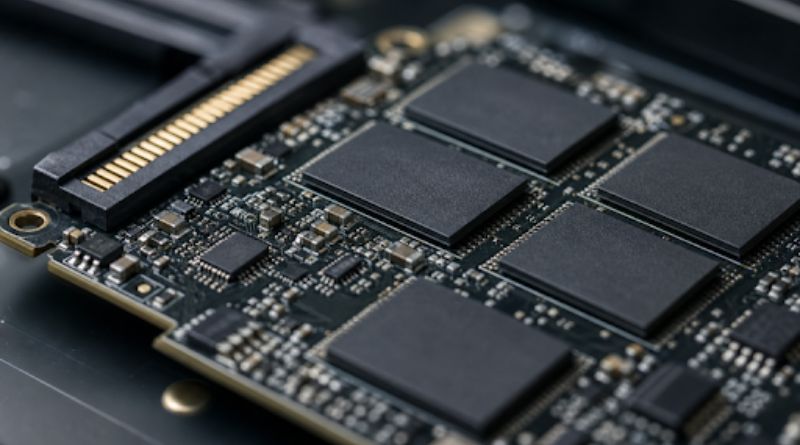

SSD shopping often starts with capacity, price, and benchmark speed. Those figures matter, but they do not tell the full story. Endurance determines how well a drive can tolerate ongoing writes, and understanding DWPD helps put that durability into practical terms for laptops, workstations, NAS devices, and servers.
Every SSD gradually uses its flash memory as data is written, erased, and rewritten. That does not mean a drive will suddenly fail when it reaches a published rating, but it does mean that a storage choice should reflect the amount and type of data the system creates each day.
Why SSD Endurance Matters
A light-use laptop may spend most of its time reading web pages, opening documents, and receiving occasional updates. A server running virtual machines can continuously write logs, database records, backups, cache files, and operating system changes. Both systems may use the same capacity SSD, yet their expected wear can be dramatically different.
Endurance is especially important because a drive can still appear quick in normal tasks while its remaining flash life declines. Treat the endurance rating as a planning figure, not an exact prediction of failure. Controller faults, firmware issues, heat, power events, and workload behavior also affect real reliability.
The SSD Metrics Worth Checking
Four specifications make endurance comparisons easier:
- TBW, or terabytes written: The total amount of host data the manufacturer rates the drive to accept during its warranty period.
- DWPD, or drive writes per day: The number of complete drive rewrites supported per day over the rated service period. This is particularly useful for enterprise drives.
- P/E cycles: Program and erase cycles indicate how many times NAND cells can be rewritten before wear becomes a concern.
- Percentage used: A health value reported through drive diagnostics that estimates how much rated life has been consumed.
A simple planning calculation is: daily write budget = TBW divided by warranty days. For example, a 600 TBW drive with a five-year warranty has a rated average budget of roughly 328 GB per day. That is a useful comparison point, not a promise that the drive stops working on day 1,827.
How Workloads Change Drive Wear
Write volume alone is not the whole story. Large sequential transfers are generally easier for a drive to manage than a steady stream of small random updates. Consider the pattern behind the workload:
- Office work: Usually light, irregular writes from documents, browser caches, and updates.
- Gaming: Large downloads, installations, patches, and occasional game captures.
- Video production: High-volume scratch files, proxies, exports, and repeated project transfers.
- Virtualization: Multiple operating systems generating mixed writes at the same time.
- Databases: Frequent small writes to transaction logs, indexes, and records.
- Surveillance and logging: Persistent data capture that can run around the clock.
Always-on NAS storage deserves particular scrutiny because caching, backups, media libraries, and shared-file activity can overlap.
NAND Design And Drive Life
NAND type influences endurance, cost, and storage density. SLC stores one bit per cell and is highly durable but expensive. MLC stores two bits per cell and has historically balanced endurance with capacity. TLC stores three bits per cell and is widely used across modern consumer and enterprise SSDs. QLC stores four bits per cell, increasing capacity and reducing cost, but it is usually better suited to read-heavy or moderate-write workloads.
NAND labels are not a complete buying guide. The controller, error correction, firmware, spare area, cooling design, and power-loss protection can make a major difference in how a drive behaves over time.
The Role Of Write Amplification
Write amplification is the extra internal flash activity required to handle the data sent by the computer. A system may request a small write, but the SSD may need to move valid data, erase a block, and rewrite additional pages to complete the write. Small random writes, a nearly full drive, and sustained activity can increase that internal work.
Garbage collection and wear leveling are necessary functions, but they add NAND writes beyond the host-write figure shown by the operating system. Keeping free capacity available, avoiding unnecessary write-heavy tasks, and, when supported, using overprovisioning can give the controller more room to work efficiently.
Why Capacity Can Change Endurance
Larger capacities within the same SSD family often receive higher TBW ratings because writes can be distributed across more NAND dies and cells. That does not automatically make the largest model the right choice. Compare the rating for the exact capacity you intend to install, then leave enough working space for the operating system, applications, and background drive management.
Matching SSDs To Common Use Cases
- Office laptop: Prioritize compatibility, capacity, price, and a reasonable warranty.
- Gaming PC: Prioritize capacity, cooling, and sustained performance during large installs.
- Video workstation: Prioritize sustained writes, adequate TBW, and separate project or scratch storage.
- NAS system: Prioritize endurance, thermal control, health reporting, and suitability for continuous operation.
- Virtualization host: Prioritize high endurance, predictable latency, and power-loss safeguards.
- Database server: Prioritize consistent write performance, strong data protection, and higher DWPD.
How To Monitor SSD Health
Buying the right drive is only the first step. Check SMART or NVMe health dataregularly, including percentage used, available spare capacity, temperature, media errors, and critical warnings. Watch for unusual throttling, performance drops, or error counts, and maintain tested backups before health indicators become urgent.
Real-world records matter because workloads do not always resemble specification tests.
A Practical SSD Buying Checklist
- Estimate average daily writes and identify peak write periods.
- Determine whether writes are mostly sequential, random, or mixed.
- Compare TBW or DWPD for the exact capacity model.
- Review warranty limits and workload assumptions.
- Check controller features, cooling needs, and power protection.
- Confirm interface and form-factor compatibility.
- Plan for monitoring, backups, and future storage growth.
Common Questions About SSD Endurance
Does A Higher TBW Rating Always Mean A Better SSD?
No. Higher TBW provides more write tolerance, but the best drive still depends on capacity needs, performance consistency, warranty terms, and budget.
Is DWPD Useful For Home Computers?
It can be, although TBW is usually easier for home users to compare. Most desktops and laptops do not need enterprise-level DWPD ratings.
Can A Drive Last Beyond Its Rated Endurance?
Yes, it can. The rating is not an automatic shutdown point, but the drive may no longer be covered under the endurance-related warranty, and the risk increases as wear accumulates.
Are Consumer SSDs Suitable For NAS Systems?
They can be suitable for light file sharing and backups. Continuous caching, virtual machines, surveillance recording, or database tasks call for closer attention to endurance and health data.
What Is More Important: Speed Or Endurance?
Neither is universally more important. A fast drive that cannot sustain the workload is a poor fit, while a highly durable drive may be unnecessary for light everyday use.
Conclusion
The best SSD choice starts with the workload, not the highest speed number on a product page. Compare endurance ratings with daily writes, NAND design, available capacity, temperature, write amplification, and ongoing health data. That approach helps prevent premature replacements and supports more reliable storage planning.
